
Buying Guide — Webcams
Best Webcam for a Laptop
A webcam on a monitor lives on a thick, stationary slab set back across the desk. A webcam on a laptop lives on a thin hinged lid, at arm's length, plugged into a machine that may have no USB-A port left to give. Those are different jobs, and the four webcams we've reviewed split differently when the laptop runs the checks: one is the compact camera built for close framing, one is the lightest body a thin lid can carry, one is the simple camera whose tight lens turns against it up close, and one is the proven all-rounder whose weight a lid punishes. Here are the three checks a laptop runs, then how the four split.
Affiliate disclosure: Home Office Stack is a participant in the Amazon Services LLC Associates Program. As an Amazon Associate, we earn from qualifying purchases made through links on this page — at no extra cost to you. Picks are research-based, grounded in manufacturer specs and published owner feedback; we don't accept sponsored placements.
Three checks decide it, and a monitor never runs them
First check: weight and clip on a thin lid. A monitor's top edge is thick, rigid and going nowhere; a laptop lid is a few millimetres of screen on a hinge that also has to hold the lid's own angle against the camera's weight. The four cameras here span the range honestly, on the figures their reviews publish: the Logitech Brio 4K's body at 63 g, the Logitech Brio 101 at 75 g without its cable, and the Logitech C920s at 162 g including its clip — more than two and a half times the lightest body, hanging off the top of your screen. The Anker PowerConf C200's review publishes compact dimensions instead of a settled weight (its sources conflict, and this site does not invent a figure), at 1.97 by 1.57 by 2.17 inches with an adjustable clip — the smallest footprint of the four. A heavy camera on a sturdy lid is a non-event; the same camera on a thin ultrabook lid can creep the screen angle down through a long call, which is why this check runs first.
Second check: framing and focus at laptop distance. Field of view is an angle, and an angle covers less the closer you sit — a laptop puts the camera at arm's length, not across a desk. A fixed 78-degree view frames head-and-shoulders at that distance; a fixed 58.9-degree view, which keeps a cluttered room out of frame from a set-back monitor, fills the picture with your face up close. Switchable fields of view answer the problem directly: 65, 78 or 95 degrees on the C200, and 65, 78 or 90 on the Brio 4K, whose narrower views crop a 4K sensor and so hold detail a 1080p crop cannot. Focus runs the same way: at laptop distance you lean in and out inside a metre, so autofocus with a close minimum — the C200 focuses from 15 cm to 3 m — is doing constant work, while a fixed-focus camera has one distance it is sharp at and softens away from it. Microphones belong to this check too: at laptop distance every mic here is well inside its rated pickup, so the split that matters is noise cancellation — the C200 and Brio 4K have it, the C920s and Brio 101 do not — for the shared rooms laptops get carried into.
Third check: the cable your ports actually take. The modern laptop this guide is written for is USB-C-only, and webcam cables have not caught up. Two of the four — the Brio 101 and the C920s — carry an attached, non-detachable 5 ft USB-A cable: an adapter lives in the chain permanently, or the camera does not connect. The Brio 4K's cable detaches, which is genuinely better for packing and replacement, but it is USB-A at the computer end and USB-C is supported only through a third-party adapter that is not in the box. The C200 comes closest to the modern port layout — a USB-C port on the camera itself — and still ships with a USB-C to USB-A cable, so its computer end is USB-A as shipped. None of the four ships with a USB-C-to-USB-C cable in the box. Judge this check against the ports on the machine in front of you, not the one you wish it had.
The webcams we've reviewed, compared by laptop checks
| Anker PowerConf C200 2K Webcam | The laptop pick — compact body, framing you can switch | 1.97 × 1.57 × 2.17 in · adjustable clip, tripod thread · 2K at 30 fps | Autofocus 15 cm–3 m · 65° / 78° / 95° fields of view · dual noise-canceling mics · cover switches the camera off · USB-C port on the camera, USB-C-to-USB-A cable included |
| Logitech Brio 4K Ultra HD Webcam | The lightest pick — 63 g body, crops that hold detail | 63 g body (without clip or cable) · 1.06 × 4.02 × 1.06 in · detachable clip with tripod thread | Autofocus · 65° / 78° / 90° fields of view cropped from 4K · RightLight 3 with HDR · Windows Hello sign-in · detachable cable, USB-A at the computer end |
| Logitech Brio 101 Full HD 1080p Webcam | The conditional simple pick — light, and tight to a fault up close | 75 g without cable · clip tilts only, no swivel, no tripod thread · 1080p at 30 fps | Fixed focus · fixed 58.9° field of view · RightLight 2 · single mono mic, no noise cancellation · attached 5 ft USB-A cable |
| Logitech C920s HD Pro Webcam | The honest skip for a thin lid — the proven monitor all-rounder | 162 g including clip · tripod-ready clip that also stands on a desk · 1080p at 30 fps | Autofocus five-element glass lens · fixed 78° field of view · dual stereo mics, no noise cancellation · attached 5 ft USB-A cable |
Specs above are the figures as recorded in each product's full review on this site — including the gap: the C200's row carries dimensions rather than a weight because its review's weight sources conflict, and a comparison table is exactly where an invented figure would do the most damage. Read the table's shape: the laptop checks crown different winners than the desk checks do, and the camera our general guide calls the proven all-rounder finishes last here on the one figure a lid feels.
The laptop pick: Anker PowerConf C200
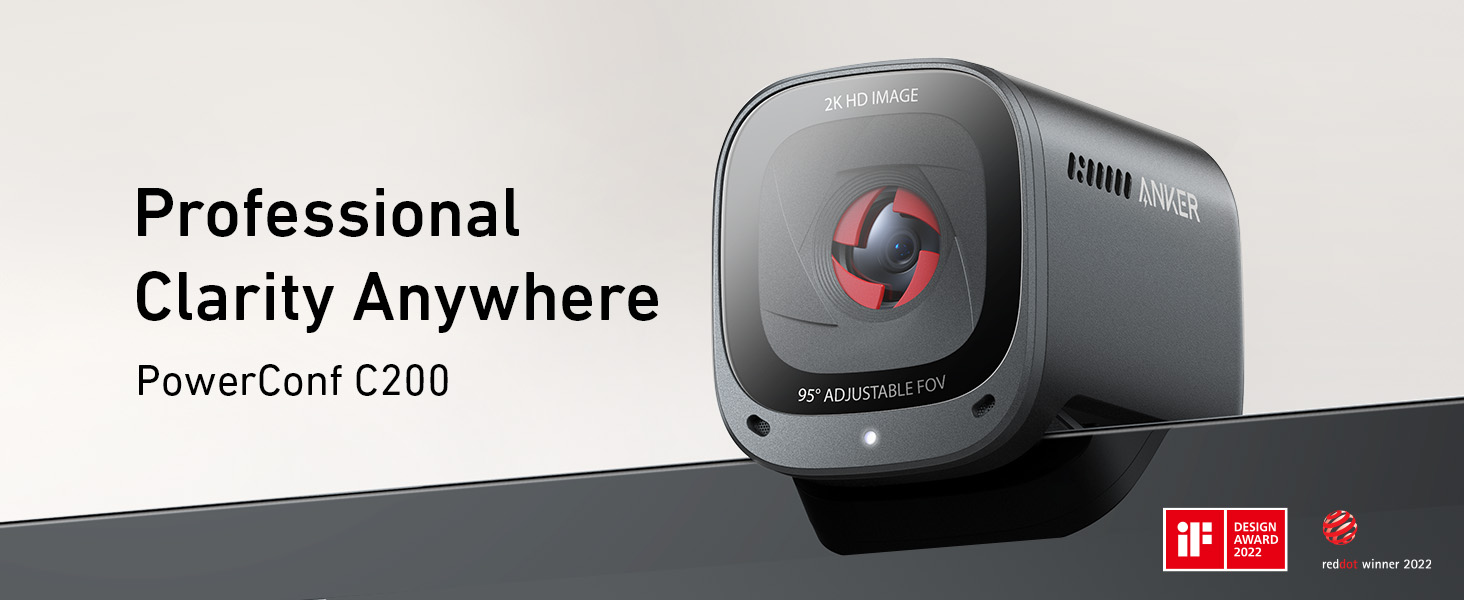
The C200 leads this guide because it is the one camera here whose design answers the laptop checks directly. Its body is the most compact of the four — 1.97 by 1.57 by 2.17 inches — on an adjustable clip that also fits a monitor, with a tripod thread if the lid is ever not the mount. For the close-distance check it carries the two tools that matter: autofocus specified from 15 cm to 3 m, which covers the whole range of leaning a laptop seat involves, and three fields of view — 65, 78 or 95 degrees, selected in the AnkerWork software — so the framing is a choice you make at your actual distance rather than a fixed lens's verdict. Its dual microphones carry AI noise cancellation with pickup rated to 3 m, the strongest audio file here for the shared spaces a laptop gets used in.
The low-light case transfers from the desk intact, and it matters more on a laptop: the rooms laptops work in — a kitchen table after dark, a hotel room lit by the screen — are exactly the dim, imperfect light reviewers praise this camera in, where Tom's Guide found detail and truer colours than the laptop camera it replaced and Laptop Mag called the low-light performance excellent with fast autofocus. Its privacy cover is also the only one of the four that switches the camera off when it slides shut — on a machine that travels and opens in other people's spaces, that is a real difference from a shutter that only blocks the lens, and our full review records the cover and the rest of the file in full. Our webcam guide for low light ranks the same four on the dark-room checks alone.
Fit check: every resolution runs at 30 fps, so this is a seated-meeting camera, not a moving-presenter or streaming one; the body cannot swivel and there is no tracking or auto-framing, so you stay in one seat; and the narrower fields of view are digital crops of the 2K image, so the tightest framing spends some of that resolution. The included cable ends in USB-A at the computer, like every camera here.
The lightest pick: Logitech Brio 4K
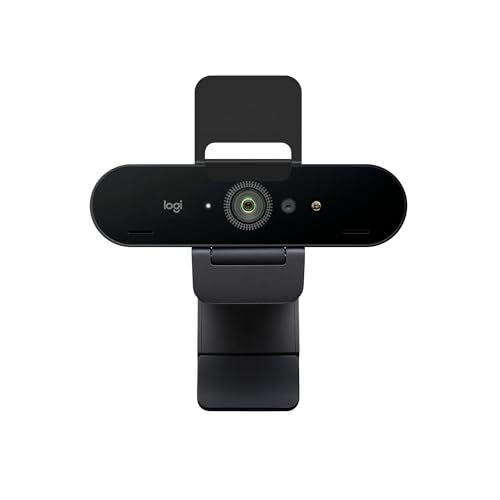
If the first check is the one your laptop fails — a thin lid, a hinge that already creeps — the Brio 4K is the answer on the published figures: 63 g for the body without clip or cable, the lightest camera we review, on a detachable universal clip with a standard tripod thread, so the same camera can leave the lid for a tripod or a desk stand when the setup grows. Its framing file is the premium version of the C200's: 65, 78 or 90-degree fields of view, but cropped from a 4K sensor, which is why its tight views hold detail better than a 1080p camera's crops — at laptop distance, where the tight view is the one you will actually use, that headroom is the product. RightLight 3 with HDR handles the backlit window behind a couch or a kitchen table, and the infrared sensor adds Windows Hello face sign-in, a laptop-native feature no other camera here offers.
Its cable is the middle case of the four: detachable, so it packs and replaces better than the attached cables, but USB-A at the computer end, with USB-C supported only through a third-party adapter that is not included — budget the adapter as part of the purchase on a USB-C-only machine. The 4K mode itself needs a USB 3.0 port and compatible software; the 1080p at up to 60 fps mode is the one most laptop calls will actually run, and it is a genuinely smoother picture than any 30 fps camera here gives a moving speaker. Our full review covers the recording and cropping case in full, and our webcam guide for streaming and recording ranks it on those checks.
Fit check: the autofocus carries a documented platform split — praised on Windows, but some Mac owners report it failing to focus correctly in Zoom, Webex and Teams, with manual focus in Logitech's settings as the standing workaround; a Mac laptop buyer should read that as a real cost, stated first rather than footnoted. And its attachable privacy shutter only covers the lens — it does not switch the camera off and does not mute the microphones.
The conditional simple pick: Logitech Brio 101

The Brio 101 is in this guide as a conditional, and the condition is distance. Start with what travels well: at 75 g without its cable it is the second-lightest camera here, it is plug-and-play with no driver and no software required, RightLight 2 balances the light automatically, and its sliding shutter covers the lens by hand. From a set-back screen, its fixed 58.9-degree view is a genuine feature — our general webcam guide picks it for exactly that: the bed, the laundry chair and the boxes behind you are simply never in the picture, with no virtual background and nothing to configure.
A laptop removes the set-back. Its own review states the consequence plainly: seated close to a laptop lid, a face takes up nearly the whole frame and can look oversized, and nothing zooms the view out — the fixes are distance or a different camera. So the honest laptop case for this camera is the laptop that lives raised and set back — on a stand, with a separate keyboard, at something closer to monitor distance — where the tight, private frame works as designed; our laptop stand guide for posture covers that setup. Add its other fixed points: fixed focus with no autofocus, a single mono microphone with no noise cancellation rated to 4 ft, a clip that tilts only with no swivel and no tripod thread, and an attached 5 ft USB-A cable a USB-C-only laptop takes only through an adapter. Our full review records the whole file.
Fit check: if the laptop sits at arm's length on the desk and you want head-and-shoulders framing, this is the wrong lens, full stop — that sentence is its review's, and a laptop guide is where it bites hardest. Buy it for the raised-laptop setup and the private frame, knowingly.
The honest skip for a thin lid: Logitech C920s
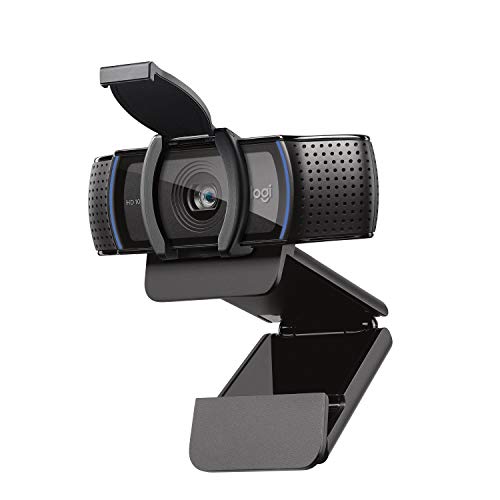
The C920s is the camera our general guide calls the proven all-rounder, and nothing in this section argues with its picture: autofocus 1080p through a five-element glass lens, a fixed 78-degree view that frames two people, dual stereo microphones, and a long ownership record no rival here matches. It is in this guide because the laptop checks are where its file turns, and the first check is decisive: at 162 g including its mounting clip it is the heaviest camera we review by a wide margin, and that weight hangs on the thinnest, weakest mount in your setup. On a thick, sturdy lid you may never notice; on a light ultrabook lid it is the camera most likely to pull the screen angle down and the last one a careful owner should clip on without thinking.
The rest of its laptop file is a monitor camera's file. Its cable is attached and non-detachable — 5 ft of USB-A that a USB-C-only laptop takes only through an adapter, and that cannot be swapped for a shorter or USB-C cable. Its clip is tripod-ready and can also stand the camera on a desk, which tells you the mounts it was designed around; it tilts but does not swivel. Its clip-on privacy shutter covers the lens without switching the camera off or muting the microphones. None of this dents its desk case, which our full review and the general guide make in full — it dents its case on the specific machine this guide is about.
Fit check: if your laptop is sturdy-lidded, mostly docked, or the camera will in practice live on a monitor or a desk stand, judge the C920s by the general guide, where it earns its place. The skip here is narrow and specific: thin lid, laptop-first, carried and opened daily — that reader should take the C200's compact body or the Brio 4K's 63 g instead.
When none of these four is the right buy
The first honest case is the laptop you rarely undock. If the machine lives closed on a desk, driving a monitor, the camera belongs on the monitor — run the desk checks in our webcam guide for video calls instead, where the ranking is different and the C920s's weight stops mattering. The second case is the presenter: all four cameras are seated-person designs — none tracks or auto-frames a standing speaker, and only the Brio 4K offers motion past 30 fps, at 1080p and below — so a reader who teaches, demos or presents standing should shop the tracking-camera category rather than adapt a pick from this page.
The third case is the good built-in camera in good light. A modern laptop camera with a lamp in front of you may already pass a recorded test call cleanly; the upgrade then buys framing choice, a privacy cover and low-light headroom rather than a transformation, and it is honest to say so before spending. And if the laptop setup itself is the problem — screen too low, camera below eye level, keyboard and camera fighting for the same lid — a stand that raises the machine changes the camera's job entirely: our video call setup guide works through camera height, front light and framing in that order.
Laptop webcam questions, answered honestly
What makes a webcam good for a laptop, specifically?
Three checks a monitor never runs. Weight on the lid: a laptop screen is thin and hinged, so the camera's weight and clip sit on the weakest mount in your setup — the four reviewed cameras span 63 g for the Logitech Brio 4K's body to 162 g for the Logitech C920s with its clip. Framing and focus at close distance: you sit nearer a laptop than a set-back monitor, so field of view decides whether the frame holds head-and-shoulders or just a face, and autofocus that works from 15 cm matters more than resolution. And the cable: two of the four reviewed cameras carry an attached, non-detachable USB-A cable, which a USB-C-only laptop takes only through an adapter.
Which reviewed webcam is lightest on a laptop lid?
The Logitech Brio 4K, on the figures its review publishes: 63 g (2.22 oz) for the webcam body without clip or cable, the lightest body in our coverage. The Logitech Brio 101 is next at 75 g without its cable, and the Logitech C920s is the heaviest at 162 g including its mounting clip. The Anker PowerConf C200's review publishes its compact dimensions — 1.97 by 1.57 by 2.17 inches — rather than a settled weight, because the sources for its weight conflict, so this guide compares it on size and clip design instead of inventing a figure.
Why does the framing look different at laptop distance?
Because field of view is an angle, and the same angle covers less of the room the closer you sit. A fixed wide view like the Logitech C920s's 78 degrees frames head-and-shoulders at laptop distance and can fit a second person; a fixed tight view like the Logitech Brio 101's 58.9 degrees, which keeps a cluttered room private from a set-back monitor, fills the frame with your face up close — its review records that seated close to a laptop lid, a face takes up nearly the whole frame and can look oversized, and nothing zooms it out. Cameras with switchable fields of view — the Anker PowerConf C200 at 65, 78 or 95 degrees and the Logitech Brio 4K at 65, 78 or 90 — let you choose the framing at whatever distance the laptop sits.
Do these webcams work with a USB-C-only laptop?
All four work, but only through the cable question, and the four split on it. The Logitech Brio 101 and the Logitech C920s carry an attached, non-detachable 5 ft USB-A cable, so a USB-C-only laptop needs an adapter in the chain permanently. The Logitech Brio 4K's cable detaches, but it is USB-A at the computer end and Logitech supports USB-C only through a third-party adapter that is not included. The Anker PowerConf C200 has a USB-C port on the camera itself and ships with a USB-C to USB-A cable — the computer end is still USB-A as shipped. No camera in this guide ships with a USB-C-to-USB-C cable in the box, and this guide will not pretend otherwise.
Is an external webcam worth it over the camera built into the laptop?
For seated calls, the reviews on this site keep landing in the same place: yes, because the step up in real detail is not subtle. The Logitech C920s's review records reviewers finding its autofocus Full HD picture a clear step up from the camera built into a laptop lid, and the Anker PowerConf C200 was built for the case where laptop cameras fall apart first — a dim room lit by the screen itself, where reviewers praise its low-light picture and fast autofocus. The honest exception is the short call on a good modern laptop camera in good front light: if your built-in picture already looks clean on a recorded test call, the external camera buys you framing choice and a privacy cover more than it buys you image quality.
Bottom Line
Run the laptop's three checks, then read the four cameras in order
Name what your laptop actually imposes — how much weight its lid should carry, how close you sit to it, and which ports it has left — and buy the camera that wins your check. For most laptop-first readers that is the Anker PowerConf C200: the most compact body we review, autofocus from 15 cm, three fields of view for the distance you actually sit at, and the one privacy cover that switches the camera off. Where the lid is thinnest or the framing gets cropped and re-cropped, the Logitech Brio 4K is the lightest body at 63 g with crops that hold detail — with its Mac autofocus caveat read first. The Logitech Brio 101 earns its place only at stand-raised, set-back distance, where its tight private frame works as designed. And let the Logitech C920s stay the monitor all-rounder it is, unless your lid is sturdy enough that its 162 g stops being the deciding figure. For the desk-side comparison, see our webcam guide for video calls, or browse all our webcam reviews.